Full diary, zero admin. Prevent double bookings and no-shows while giving patients a delightful, professional booking experience. Get patient scheduling software that keeps every appointment in sync.
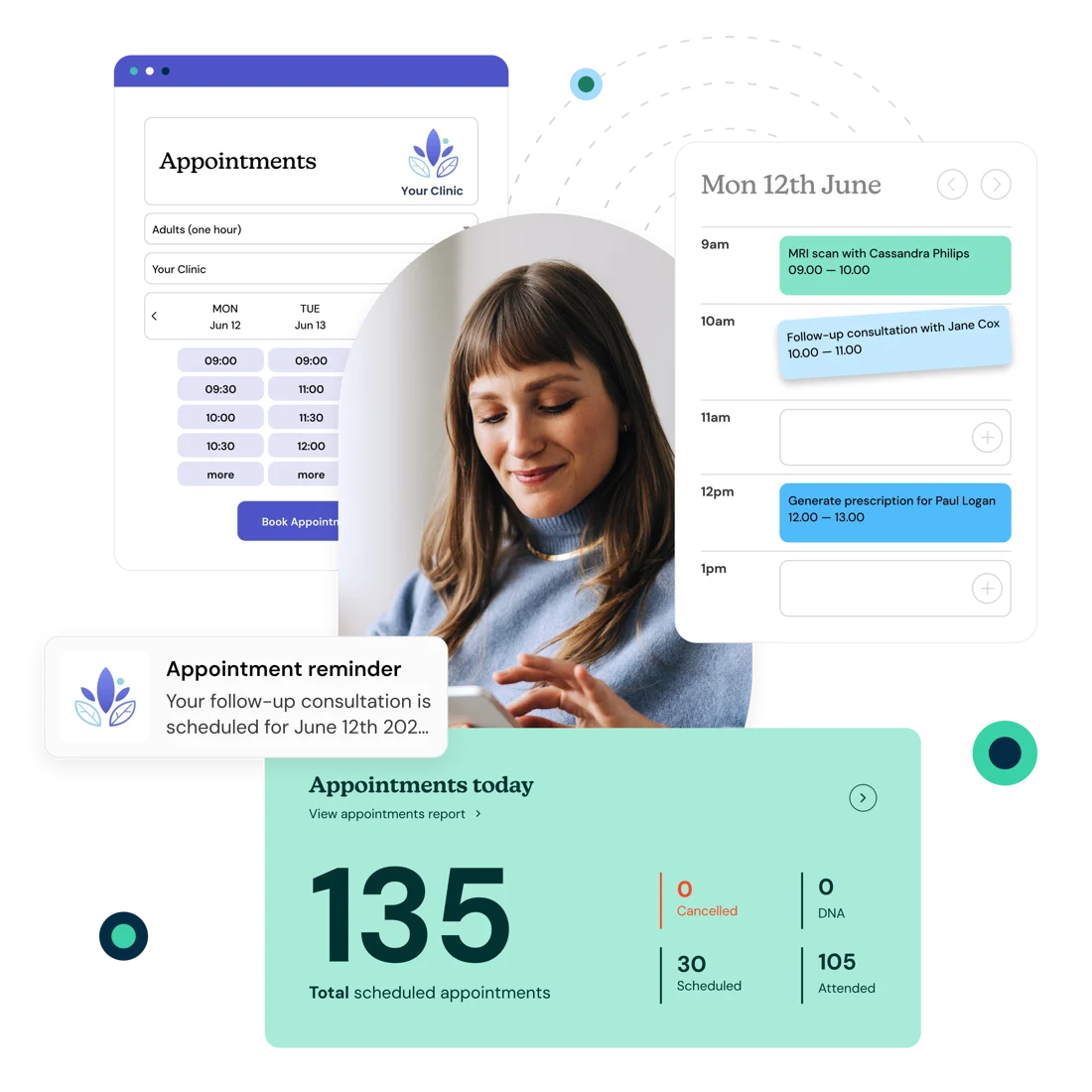

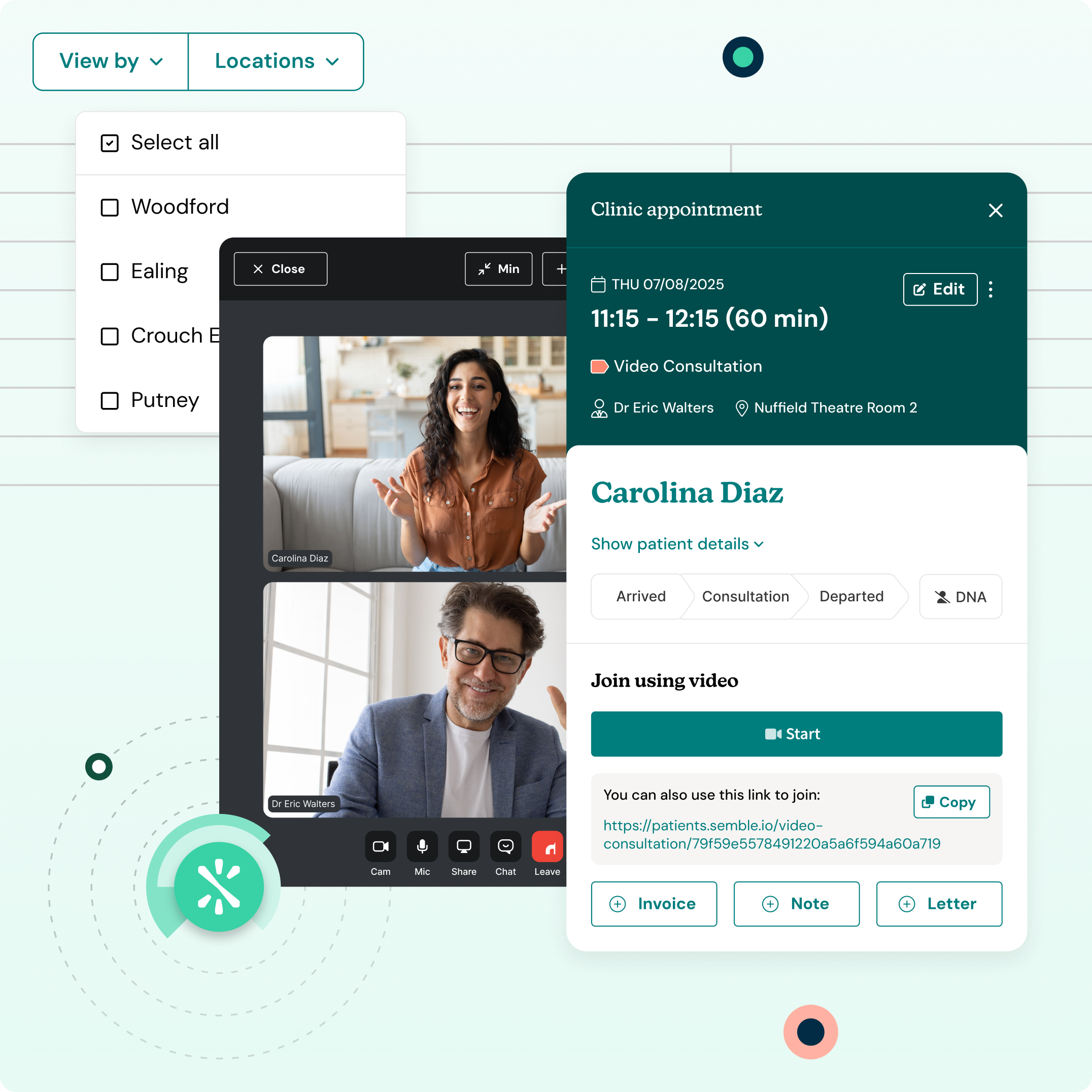


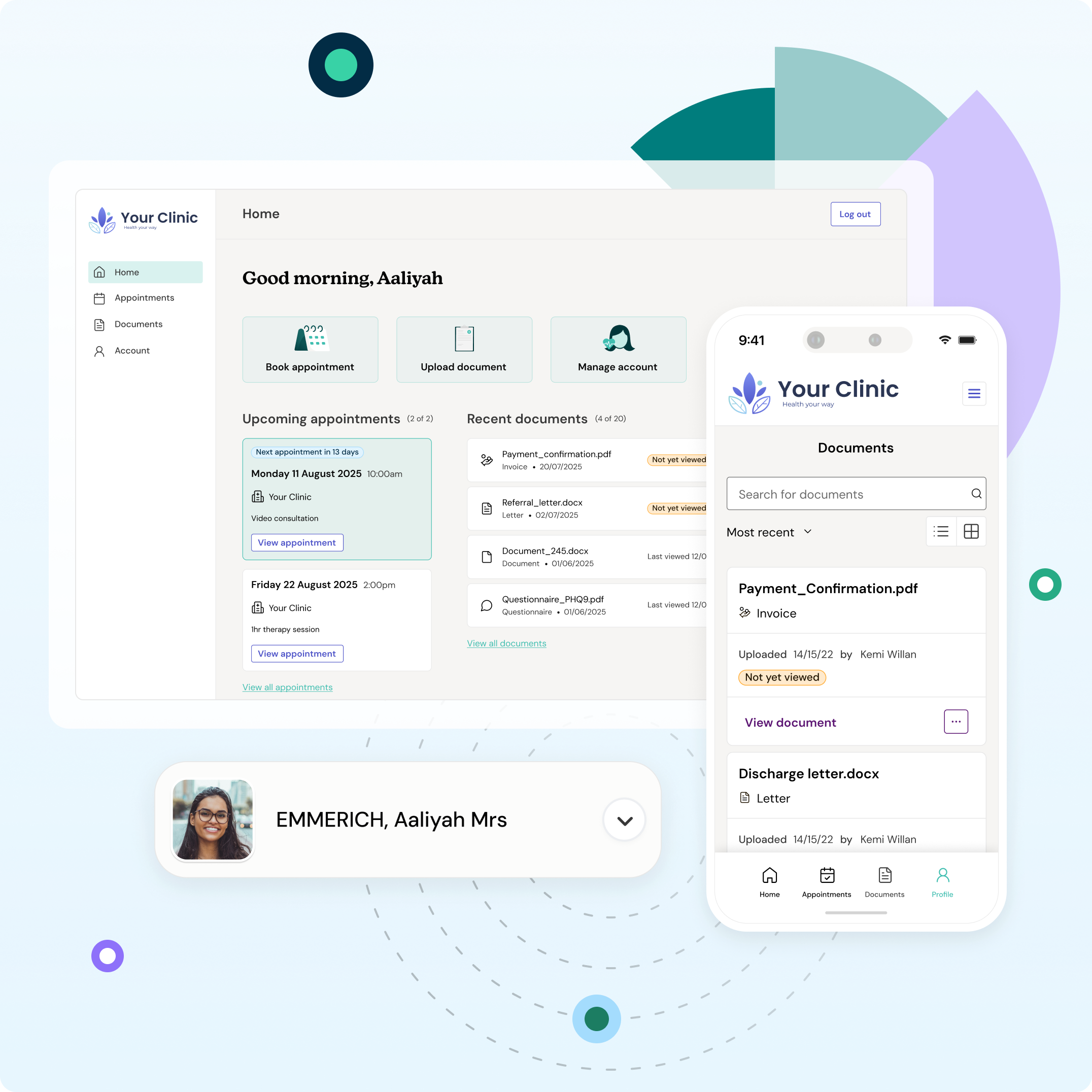
Stop checking three systems to book one appointment. Handle patient appointment scheduling, theatre lists and video consultations from the same place. Complete follow-up workflows like invoicing and letters straight from your calendar. Your morning admin routine just became a five-minute task.

“Patients and corporate customers have the choice to book themselves in when they wish. Both have found the process amazingly easy to use. I can't tell you the amount of admin time that was wasted on patients or corporates emailing asking for availability. That headache is completely gone.”
Dr Harjeev Rai
CEO & Lead Clinician
Hessington Health
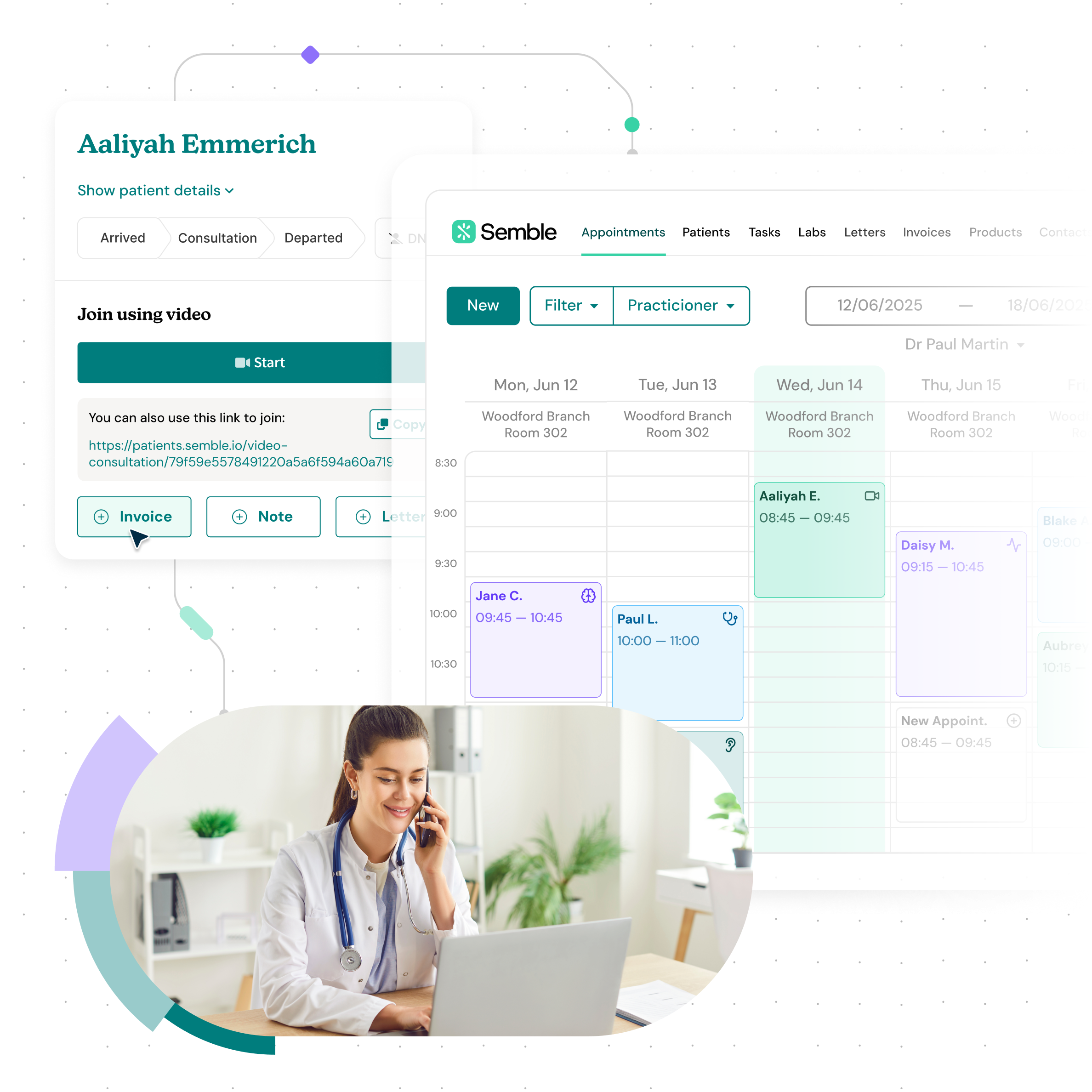
Your calendar shows you where you need to be. Whether you're consulting across three different clinics or offering different services in one place, you'll never be caught off guard or double-booked again. Working across multiple sites becomes effortless when everything you need is in one view. Arrive prepared, not stressed, with Semble’s medical appointment scheduling software -
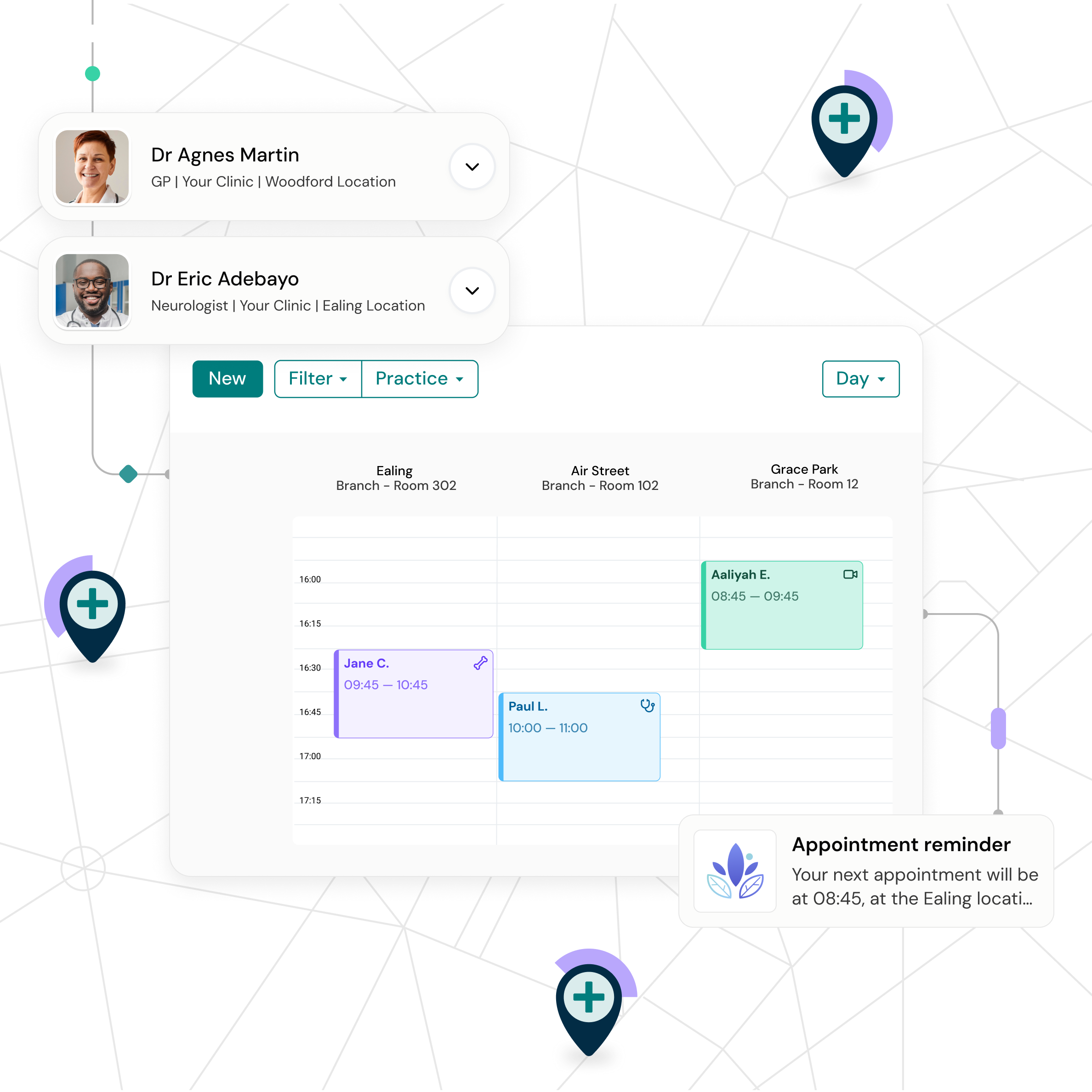
See your entire practice in one calendar view: every clinician, every location, every available slot. Spot opportunities to fill gaps, match urgent patients with available appointments and optimise clinician usage across sites.
For deeper insights into revenue patterns and performance metrics, Semble Data gives you the complete picture so you can scale your business efficiently.
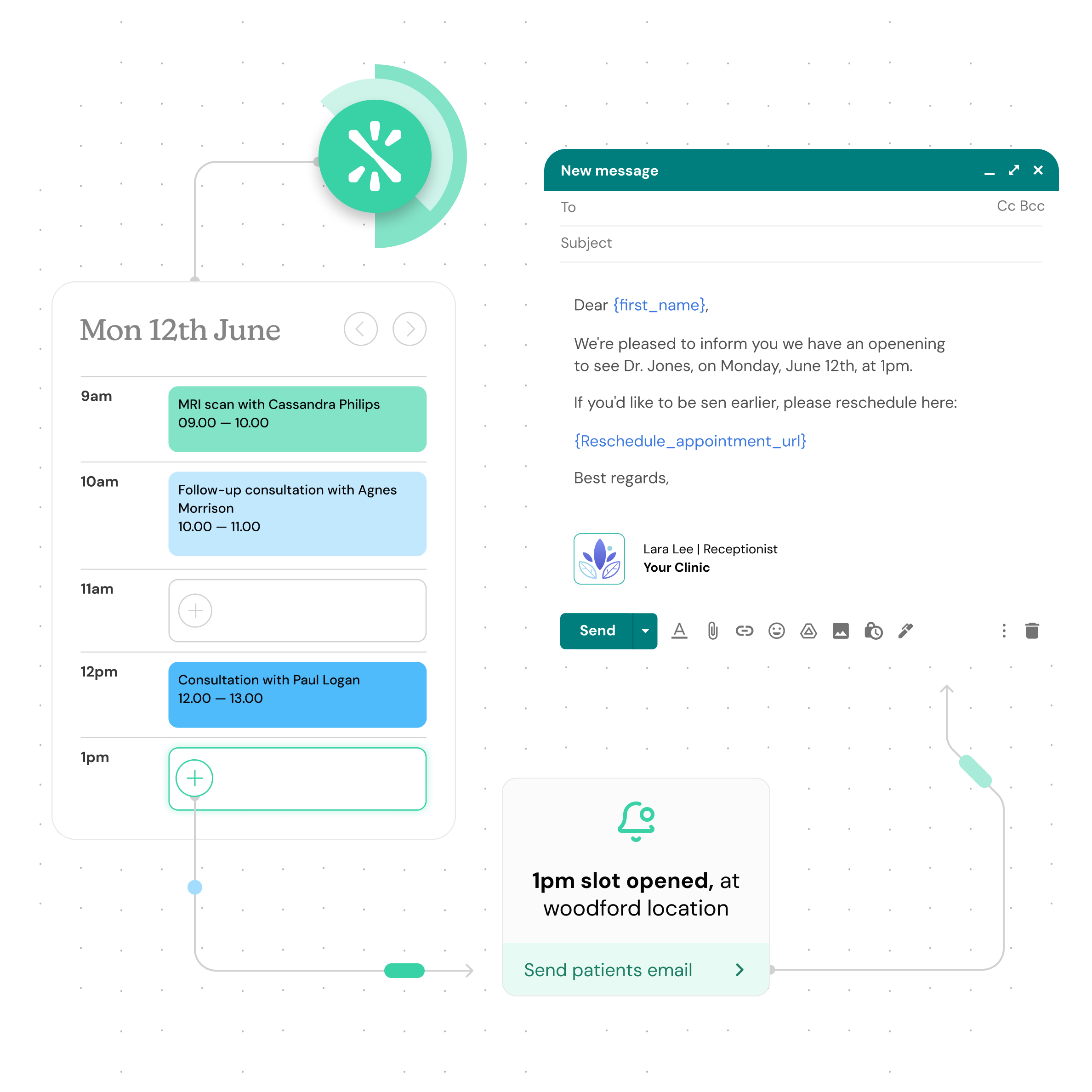
Yes. The calendar shows every clinician across all your locations in one unified view. Filter by location, clinician or appointment type to see exactly what you need. Get complete patient scheduling visibility in seconds.
Semble alerts you immediately if there's a double-booking conflict. You'll see a clear warning so you can fix it straight away.
Yes. Semble is an online medical appointment booking system. Patients can book through specialist platforms like TopDoctors and Onewelbeck, or using Semble’s appointment booking software. All appointments sync automatically into your Semble calendar.
Mark them as a no-show with one click. You can then assign a ‘No-show' label to the patient from their patient record. This coloured tag will appear next to their name throughout Semble. When booking future appointments, you'll instantly see which patients have a history of missing appointments, so you can send extra reminders, make personal calls or take other steps using Semble’s patient appointment scheduling software.
Yes. Once you mark an appointment as complete, you can generate and send invoices immediately from the booking by clicking the Invoice button.
Semble is optimised for mobile, so you can access your calendar, check appointments and manage patient booking on the go.
Yes. You can share patient health questionnaires, registration forms and more. Completed questionnaires are saved in the EHR so clinicians arrive prepared.
You can set automated SMS and email reminders using Semble templates to help patients get to their appointments on time. Seamless patient appointment scheduling that saves hours every week.